Wooting
Wooting 60HE Review
Excellent
$154.99
The keyboard every competitive FPS player ends up with. Analog input and Rapid Trigger are real advantages, and Wootility makes rivals' software look embarrassing.
switch
Lekker L60s Hall Effect (magnetic), linear, hot-swappable
actuation
0.1-4.0mm adjustable, per key, 0.1mm steps
rapid_trigger
Yes, adjustable activation and reset points
analog_input
Yes, per-key (gamepad mode)
Pros & Cons
Pros
- Analog input per key — genuine competitive advantage
- Rapid Trigger and adjustable 0.1-4.0mm actuation
- Wootility is the best keyboard software, full stop
- Excellent stock acoustics for a Hall Effect board
Cons
- Wired only — no wireless option
- 60% layout sacrifices arrows and F-row
- Premium price for a plastic case
- Lekker switches only — limited modding ecosystem
Overview
The Wooting 60HE does not win on build quality, wireless convenience, or price. It wins because its Lekker Hall Effect switches report how far each key is pressed, not just whether it is pressed. That single capability has quietly made it the default keyboard of the tactical FPS pro scene. Rapid Trigger, per-key adjustable actuation, and analog movement are not marketing abstractions here; they are measurable input advantages that RTINGS (8.8/10), PC Gamer (91/100), and GearLab (81/100) each verified independently. At $174.99 it is expensive for a 60% board, and it is still the keyboard serious Counter-Strike and Valorant players keep landing on.
The framing matters. This is a competitive tool first and a keyboard second, and Wooting has never pretended otherwise. The strongest criticisms in long-term owner threads, the wired-only connection, the 60% layout, the plastic case, only land if you expected the 60HE to be something it was never designed to be. Judged on its own terms, it ranks among the most consequential gaming peripherals of the decade.
A word on the lineup, because the naming is genuinely confusing. The original 60HE launched in 2022 and made Rapid Trigger famous. The 60HE+ followed, keeping the same shell while adding a four-year warranty and a sub-millisecond input latency claim. Then came the 60HE v2, the current flagship, with 8000Hz polling, an optional aluminum case, and a Split ANSI layout option. This review covers the 60HE as sold today at wooting.io, which is the 60HE+, and that is also what the enthusiast consensus and lab tests are actually about. The v2 comes up wherever the differences matter.
Full Specifications
| Specification | Value |
|---|---|
| Layout | 60%, 61 keys, ANSI |
| Switch type | Lekker L60 Hall Effect (magnetic), linear, hot-swappable |
| Actuation | Adjustable per key, 0.1 to 4.0mm in 0.1mm steps |
| Rapid Trigger | Yes, with adjustable activation and reset points |
| Analog input | Yes, per-key (gamepad mode via Wootility) |
| Polling rate | 1000Hz stock (60HE/60HE+); 8000Hz on 60HE v2 |
| Input latency | Sub-1.0ms (60HE+); 0.125ms in Tachyon mode (v2) |
| Connectivity | Wired USB-C only; 2.0m nylon-braided USB-C to USB-A cable |
| Case | ABS plastic (60HE+); ABS or aluminum (v2) |
| Switch plate | Steel |
| Keycaps | PBT double-shot (prebuilt); ABS and dye-sub options |
| Stabilizers | Plate-mount, screw-in supported |
| Dimensions | 30.2 x 11.6 x 3.8 cm (11.89 x 4.53 x 1.5 in), 6° incline |
| Weight | 605g (1.33 lb) |
| Software | Wootility (browser or app), up to four onboard profiles |
| Warranty | 4 years excluding LEDs (60HE+); lifetime support |
| In the box | Keyboard, 2 spare Lekker L60 switches, keycap/switch puller, cable, strap, dust cover |
Build Quality and Design
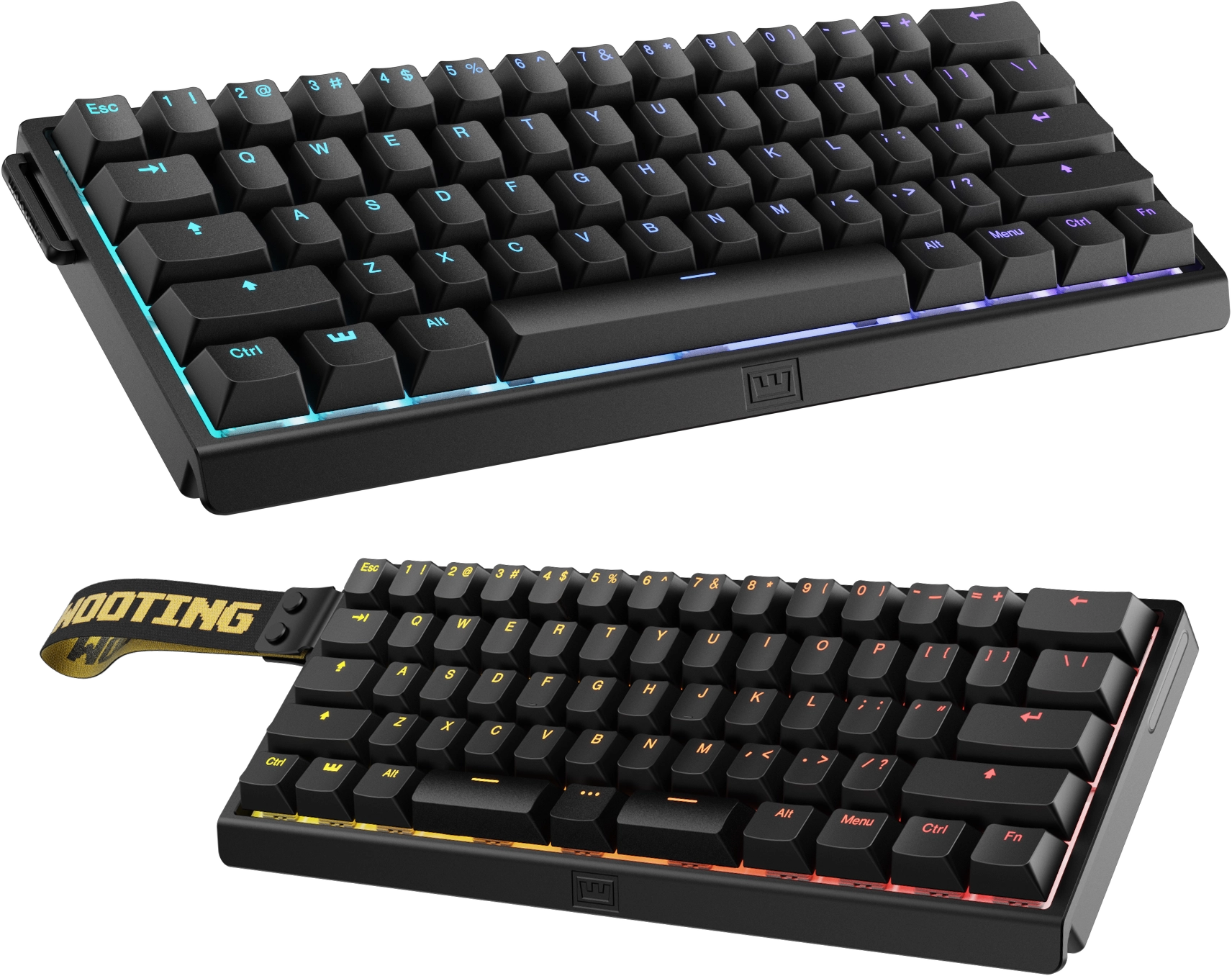
At 605g the board is dense and stays planted under aggressive play. The case is ABS plastic at a price where some rivals offer aluminum, and the community is honest about that. It is a utilitarian shell, not a showpiece. Where Wooting spends its effort is the typing surface. The Lekker L60 linear switches are smooth and consistent out of the box, case foam keeps the sound controlled rather than hollow, and the PBT double-shot keycaps resist shine far better than the ABS caps most gaming boards ship. RTINGS describes the build as excellent with no major flaws, and long-term owner threads back that up; reports of creaking, flex, or switch failure after years of use are rare enough that reliability has become one of the brand's quiet selling points.
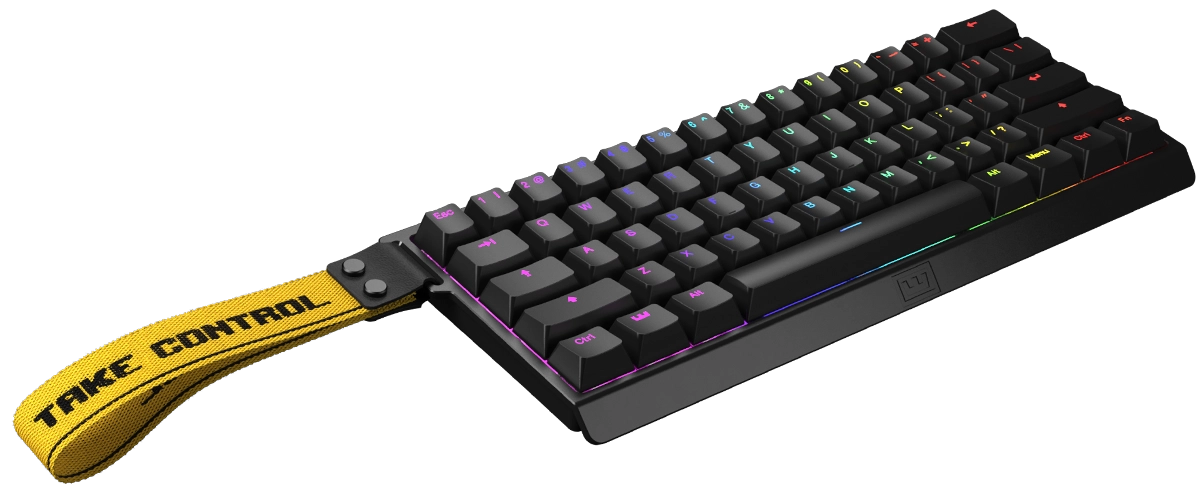
The structural constraint is the 60% layout. Sixty-one keys, no function row, no dedicated arrows. Layers handle navigation, and Wootility's remapping makes that painless, but spreadsheet work and MMO keybinding live on 75% boards for a reason. The included 2.0m cable is good quality, though the fixed wired connection remains the single most common complaint in owner reviews. Ergonomics are serviceable rather than special: a fixed 6° incline, no wrist rest in the box, and RTINGS flags long-session ergonomics as mediocre. Wooting sells a rest separately.
Key Features
- Lekker Hall Effect switches. Magnetic detection means zero contact wear, no debounce-related misses, and a lifespan measured in decades of actuations rather than millions of mechanical cycles. Hot-swappable, with two spares in the box.
- Rapid Trigger. A key resets the instant it starts moving upward, from as little as 0.1mm of travel, rather than waiting to clear a fixed reset point. Counter-strafing gets faster because your character stops sooner after you release the movement key. This is the feature Wooting pioneered and the one rivals have spent three years chasing.
- Adjustable actuation, per key. Set movement keys to a hair-trigger 0.1mm and your ultimate to a deliberate 4.0mm so it never fires by accident. Actuation and reset points are configured independently, and that combination is what makes Rapid Trigger feel surgical.
- Analog input. Keys report press depth, enabling true analog movement in supported titles: walking at partial speed, feathering throttle in racing games. Gamepad mode adds SOCD-clean inputs for fighting games.
- DKS (Dynamic Keystroke). Map multiple actions to one key: a half-press does one thing, full press another, release a third.
- Rappy Snappy and Snappy Tappy. Pick two keys that can never be active at once, with the deeper press winning, or define SOCD resolution rules such as last-input-wins for clean fighting-game directional inputs.
- Mod Tap, Toggle Key, and full remapping. Tap for one action and hold for another, lock actions like crouch on toggle, and remap every key across multiple function layers.
- Wootility software. Runs in a browser or as an app, no install for the web version, no account, no bloat. Widely considered the best peripheral software in the business for speed, logic, and stability. Four onboard profiles live on the keyboard itself, so settings follow the board to any PC.
Performance
This is where the 60HE separates itself. Rapid Trigger's effect on counter-strafing is the most cited competitive advantage in owner and pro feedback: in Valorant and Counter-Strike 2, movement stops measurably sooner after key release, and aim-trainer results across community threads consistently show the adjustment paying off within about a week. Lab testing backs the subjective reports. RTINGS measures remarkably low, consistent input latency with none of the polling inconsistency that plagues cheaper boards, and Wooting quotes sub-millisecond latency for the current 60HE+ at its default 1000Hz.
The analog dimension matters in a different set of games. Partial-speed walking in shooters, feathered throttle in racing games, and pressure-sensitive inputs in titles built for them all work, without the dead-zone fiddling that plagued early analog keyboards. Typing is a genuine bonus. It will not beat a tuned custom build, but it is markedly better than gaming-brand boards at this price, which makes the 60HE easier to live with day to day than its single-purpose reputation suggests.
Pro-scene adoption is the strongest signal of all. According to prosettings.net tracking cited by Wooting, the 60HE+ is the most-used keyboard among pro Valorant players at 20.6% of tracked players and leads Rainbow Six Siege at 17.71%, while the 80HE sibling tops Counter-Strike 2 at 27.51% and Fortnite at 15.41%. No other brand approaches that concentration. Worth noting: this adoption predates the marketing cycle and has outlasted it, because pros keep choosing the board after the novelty expires.
Latency and Input Lag
Latency is the 60HE's entire reason to exist, so it gets its own section. RTINGS measures both single-key and multi-key latency, and the 60HE sits among the lowest-latency keyboards the lab has tested. Its 8.8/10 gaming score rests on exceptionally low latency plus excellent build quality, with ergonomics as the only listed weakness. PC Gamer's 91/100 review likewise emphasizes the responsiveness of the Rapid Trigger implementation specifically rather than raw polling numbers.
On the numbers themselves: the 60HE and 60HE+ run 1000Hz polling out of the box, and Wooting quotes sub-1.0ms input latency for the 60HE+, already below what most players can perceive. The v2 adds 8000Hz polling and a 0.125ms Tachyon mode, but direct lab comparison of the two boards concludes the jump yields a small measurable improvement that does not show up in-game. The practical takeaway from lab data and community testing alike: at this tier the keyboard is no longer the latency bottleneck. The monitor, the mouse, and the player are.
Pros and Cons
Pros:
- Rapid Trigger and 0.1 to 4.0mm per-key actuation are a real, measurable competitive edge. Independent activation and reset points make counter-strafing and jiggle-peeking faster than on any fixed-actuation mechanical board, verified by both lab testing and the pro scene's sustained adoption.
- Analog input opens capabilities no mechanical keyboard can match. Partial-speed movement, analog throttle, DKS multi-action keys, and SOCD tools belong to Hall Effect boards, and Wooting's implementation remains the most mature. This is the feature set rivals are still copying.
- Wootility is the best keyboard software available. Browser-based or installed, no account, no telemetry bloat, per-key programming, profiles stored on the keyboard, and a logic layer (Mod Tap, Toggle Key, DKS) no competitor matches at this depth.
- Excellent stock acoustics and quality PBT keycaps. Case foam and double-shot caps make it noticeably nicer to type on than its reputation suggests, and the hot-swappable switches ship with two spares.
- Hall Effect switches sidestep mechanical wear entirely. No contact degradation, no double-click, no debounce delay, backed by a four-year warranty and lifetime support.
Cons:
- Wired only, full stop. The 2.0m braided cable is nice; the absence of any wireless variant is still the most common reason owners cite for looking elsewhere, and RTINGS flags it as the main barrier to using the board away from a desk.
- The 60% layout deletes the function row and dedicated arrows. Layers and Wootility make it workable, but spreadsheet work, MMO keybinding, and function-row dwellers will fight it daily. The 80HE exists for exactly this reason.
- A plastic case at a $175 price point. Dense and solid rather than flimsy, but rivals at this price increasingly ship aluminum, and the v2's metal option exists because buyers asked for it.
- Mediocre ergonomics out of the box. Fixed 6° incline, no included wrist rest. It is the one criticism RTINGS levels at the board, and palm typists will feel it in long sessions.
- Locked into Lekker switches and the Wooting ecosystem. Hot-swap works only with compatible Hall Effect units; the broader mechanical modding world of MX-compatible stems and aftermarket switch variety does not apply, though a module version exists for custom-case builders.
Who Should Buy This
Buy it if you play tactical shooters seriously. The analog and Rapid Trigger advantages are real, the pro-scene adoption is not hype, and the adjustment period runs about a week. Buy it if you want a keyboard that will effectively never wear out: magnetic switches have no contact degradation, and the four-year warranty ranks among the longest in the category. Buy it if you want the most capable software on the market and the deepest per-key control available in a shipping keyboard.
Skip it if you need wireless. Skip it if your workflow depends on a function row and arrow keys. Skip it if the keyboard is a desk centerpiece, because the plastic case and utilitarian look are not the point here. Skip it, too, if you live in the mechanical modding ecosystem; this is a Hall Effect board, and its ecosystem is Wooting's. For everyone else, the compromises are honest ones.
Wooting 60HE vs. the Competition
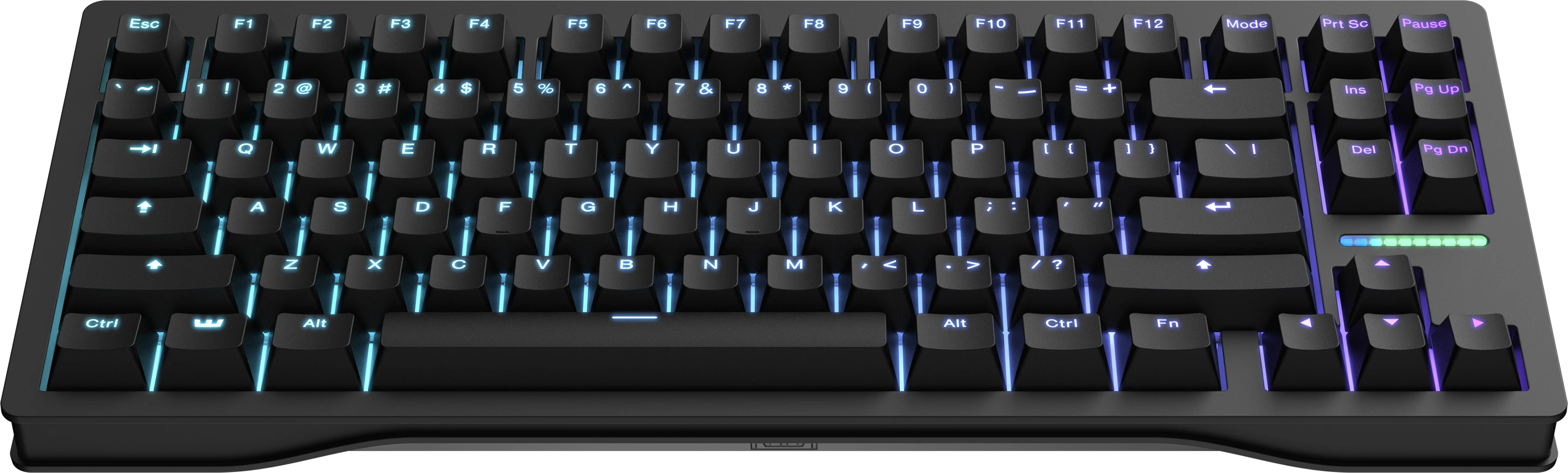
vs. Wooting 80HE. The 80HE is the same Lekker technology in a TKL layout: arrow keys, a nav cluster, a customizable light bar, and a gasket mount that softens the bottom-out feel, plus 8000Hz polling where the 60HE+ runs 1000Hz. RTINGS measures the 80HE slightly lower in latency, but their own comparison notes the difference is not perceptible in-game. The 80HE leads pro CS2 adoption; the 60HE+ leads Valorant. If the 60% layout is what holds you back, the 80HE answers it, and if you want the purest competitive value, the 60HE+ delivers the same switch technology for less.
vs. Keychron K2 HE. The K2 HE is the Hall Effect board built for everyday use: tri-mode wireless, a 75% layout, and magnetic switches under $150, trading some competitive sharpness for far better everyday usability. The 60HE holds the latency edge, the deeper software logic, and the pro-scene pedigree; the K2 HE counters with wireless, a function row, and a lower price. One is a weapon, the other a workhorse. Mixed work-and-play points to the K2 HE; pure FPS points here.
vs. Razer Huntsman V3 TKL 8KHz. Razer's analog contender uses optical switches, 8000Hz polling, and its own rapid-trigger-style feature called Rapid Tap, bundled with Synapse software. The 60HE remains the more mature analog implementation, with per-key actuation, independent reset points, DKS, and a browser configurator that never nags, while the Huntsman offers a full function row and Razer's retail reach. Players already inside Razer's ecosystem have a reasonable pick there. For the best implementation of the technology itself, the 60HE is still the reference.
Alternatives to Consider
- Wooting 80HE: the same Lekker technology in a TKL layout with a function row, arrows, and 8000Hz polling, for anyone who cannot live without the keys. The 60HE remains the better value for pure FPS play.
- Wooting 60HE v2: the true successor, with 8000Hz polling, ABS or aluminum case, and a Split ANSI option, plus a small measurable latency gain RTINGS says you will not notice in-game. Choose it for the newest hardware and a metal case.
- Keychron K2 HE: the everyday Hall Effect pick, with tri-mode wireless, a 75% layout, and magnetic switches under $150, trading competitive sharpness for everyday usability.
- Razer Huntsman V3 TKL 8KHz: a traditional-optical alternative with 8000Hz polling and analog WASD support, for players who want Razer's ecosystem and a full function row.
FAQ
Is the Wooting 60HE worth it in 2026? For competitive FPS players, yes. It remains the reference implementation of Rapid Trigger and analog input, with lab-verified latency and the pro scene's highest adoption rate. For mixed use or anyone who needs wireless, the price is harder to justify, and the Keychron K2 HE covers more ground for less.
Is the 60HE v2 worth the upgrade? The v2 adds 8000Hz polling, an aluminum case option, and a Split ANSI layout, with a small measurable latency improvement. RTINGS' head-to-head concludes the latency difference is not noticeable in-game, so the v2 decision comes down to case and layout preferences, not performance.
Does the Wooting 60HE support wireless? No. The 60HE, 60HE+, and 60HE v2 are all wired-only via a 2.0m USB-C cable. Wireless Hall Effect alternatives such as the Keychron K2 HE cover that need at the cost of some competitive sharpness.
What is Rapid Trigger, and does it actually help? Rapid Trigger resets a key the instant it begins moving upward rather than at a fixed reset point, so repeated presses of the same key register faster. Counter-strafing and jiggle-peeking are the classic beneficiaries. Community and pro feedback consistently reports a measurable improvement in movement responsiveness within about a week of use.
Can you use the Wooting 60HE for typing and work? Yes. The typing experience beats most gaming boards thanks to case foam and PBT keycaps, and Wootility's remapping and layers make the 60% layout navigable. The tradeoffs are the missing function row and arrows, the fixed incline, and no included wrist rest.
Do you need to install software? No. Wootility runs in the browser with no install and no account, and up to four profiles are stored on the keyboard itself, so settings persist on any PC even without the software running.
Verdict
9.2 — Excellent. The Wooting 60HE is a competitive instrument first and a keyboard second, and on those terms it is the best in its class. The analog and Rapid Trigger advantages are verified by both lab testing and the pro scene, and Wootility remains the software benchmark. It is expensive, wired-only, and unapologetically single-purpose, and none of that stops it from being the keyboard every serious tactical shooter player ends up with. If you play Valorant, CS2, or Siege competitively, it is the endgame. If you need wireless or a larger layout, the 80HE, the v2, or a wireless Hall Effect rival makes more sense.
What the Experts Say
Professional review consensus for this product
Full Specifications
| switch | Lekker L60s Hall Effect (magnetic), linear, hot-swappable |
|---|---|
| actuation | 0.1-4.0mm adjustable, per key, 0.1mm steps |
| rapid_trigger | Yes, adjustable activation and reset points |
| analog_input | Yes, per-key (gamepad mode) |
| polling_rate | 1000Hz (60HE/60HE+); 8000Hz (60HE v2) |
| input_latency | Sub-1.0ms (60HE+); 0.125ms Tachyon mode (v2) |
| layout | 60%, 61 keys, ANSI |
| keycaps | PBT double-shot (prebuilt); ABS/dye-sub options |
| connectivity | Wired USB-C only (2.0m braided cable) |
| weight | 605g |
| dimensions | 30.2 x 11.6 x 3.8 cm, 6 deg incline |
| case | ABS (60HE+); ABS or aluminum (v2) |
| software | Wootility (browser or app), 4 onboard profiles |
| warranty | 4 years excluding LEDs |
The Verdict: Excellent
The keyboard every competitive FPS player ends up with. Analog input and Rapid Trigger are real advantages, and Wootility makes rivals' software look embarrassing.
— GamepadSquire, July 2026
Related Buying Guide
Buying Guide
Best Mechanical Keyboards 2026: The Complete Guide for Every Budget
The 2026 mechanical keyboard market mapped tier by tier: from the $37 Keychron C3 Pro and $42 EPOMAKER HE68 Lite to the Wooting 80HE and NuPhy WH80. RTINGS' top picks synthesized with Reddit community consensus, covering mechanical, Hall Effect, and TMR switches for every budget.
Buying Guide
Best Hall Effect Keyboards 2026: The Definitive All-Tier Roundup
Hall effect keyboards went from a $200 Wooting exclusive to a market that spans $42 to $400. This is the definitive all-tier roundup: the best budget, mid-range, and flagship magnetic boards of 2026, ranked by specs, lab data, pro adoption, and community feedback.