Ultimate Animal Crossing: New Horizons 2026 Island Design Guide
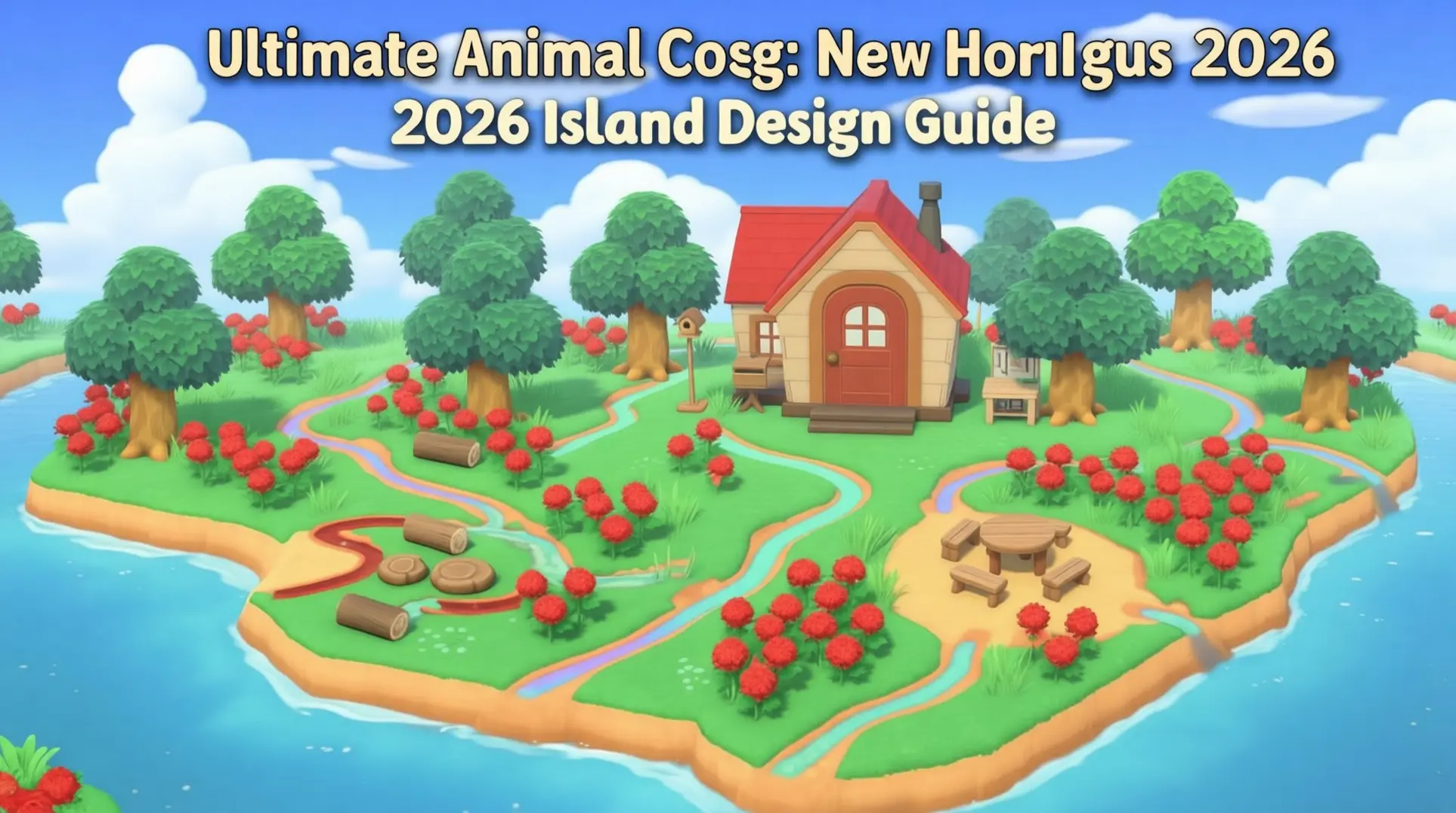
Animal Crossing: New Horizons has evolved far beyond simple decoration into a full-fledged design platform. With the Switch 2 Edition and 3.0 update introducing features like Slumber Islands and mouse controls, the possibilities for creating your dream island are more expansive than ever. This guide provides the advanced techniques, trending themes, and essential resources you need to transform your vision into a five-star reality.
Introduction to 2026 Island Design with Switch 2 Edition & 3.0 Update
What's New in the Switch 2 Edition & 3.0 Update
The Switch 2 Edition isn't just a simple port - it's a proper upgrade that actually changes how you'll play. Mouse controls are finally here, which means you can finally place furniture with pixel-perfect precision instead of wrestling with the analog stick. It's one of those quality-of-life improvements you won't want to live without once you've tried it.
Your island's also getting a visual glow-up, since the game now runs at enhanced resolution on the new hardware. Everything looks sharper, cleaner, and honestly just gorgeous when you're panning across your fully decorated neighborhoods.
Then there's the megaphone feature - you can literally shout at your villagers through the system mic, and they'll actually react. It's a small thing, but it makes the world feel way more alive, especially when you're trying to round everyone up for an event.
But the real game-changer is the Slumber Islands system. You're getting three separate dream islands that act as your personal sandbox, completely cut off from your main island. This means you can terraform and experiment without trashing your home's aesthetic, which is huge for anyone who's ever been scared to commit to a redesign.
Understanding Slumber Islands: Your New Creative Sandbox
So how do you actually get into these islands? First, you'll need the 3.0 update installed and an active Nintendo Switch Online membership - unfortunately, there's no way around that subscription requirement. Once you're updated and paid up, just lie down in any bed and choose 'It's slumber time' from the prompt. Luna will appear and guide you through unlocking your first island, and you can eventually create up to three unique canvases for different projects.
The biggest difference from regular Dream Addresses is the multiplayer collaboration. Instead of just showing off a static snapshot, your friends can actually join your Slumber Island and build alongside you in real-time. This turns island design into a proper group project, which is perfect for community builds or just hanging out and creating something together. It's interactive, it's collaborative, and it's way more fun than just trading dream codes.
Core Island Theme Categories (Traditional & Modern)
Nature-Inspired Themes: Cottagecore, Forestcore, Farmcore
If you're drawn to the simple life, cottagecore is probably where you'll start. It's all about romanticizing rural living - think floral patterns, rustic furniture, and that cozy, whimsical vibe that makes you want to bake bread you'll never actually eat. You'll lean heavily on natural materials like wood and wicker, and you can't go wrong with vintage touches such as wooden crates and teapots scattered around. The paths matter here, so you'll want cobblestone designs weaving through forested walkways, and you can grab custom codes for those specific items if you're not feeling creative.
But maybe you want to double down on the wilderness, which is where forestcore comes in. This theme cranks up the greenery to maximum density - you're basically building a national park. You'll pack your island with a variety of trees and bushes, creating thick canopies that block out the virtual sun. The trick is using winding gravel or dirt paths that feel like real forest trails, and you can add foxes, deer, and birds as residents to sell the illusion. It's less about cozy nooks and more about tranquil isolation.
Then there's farmcore, which splits the difference between the two. You're not just living in nature - you're working it. This theme demands open fields that stretch across your island, farm animals wandering around, and a rustic farmhouse as your centerpiece. You'll need wood and stone materials for authenticity, and you can't forget the farm market stands, tractors, and water pumps to make it feel functional. It's picturesque, sure, but it also tells a story of self-sufficient living.
Urban & Modern Themes: Citycore, Elegantcore, Normcore
Not everyone wants to escape to the woods - some of you want to bring the city with you. Citycore transforms your island into a concrete jungle complete with skyscrapers, neon lights, and that constant, vaguely stressful energy of urban life. You'll spend most of your time on infrastructure: intricate pathways that work as crosswalks, streetlights at every corner, and modern buildings packed tightly together. The decor is all urban - think trash cans that look like trash cans, not cute anime trash cans.
Elegantcore is what happens when you take that urban sophistication and filter it through a pastel dream. It's sophisticated, yeah, but softer, with intricate patterns and luxurious furniture that feels like it belongs in a palace garden. You'll build elegant gardens with ornate fountains and paths that curve just so. Here's where it gets interesting - many elegantcore islands actually borrow from fairycore, sprinkling in fairy lights and delicate flowers to add a touch of magic without going full enchanted forest.
And then there's normcore, which is basically the anti-theme. If you're overwhelmed by all the decoration options, normcore says: what if we didn't? It's minimalism at its most honest - clean lines, open spaces, and a limited color palette that won't give you a headache. You'll use simple paths, natural landscapes, and just a touch of rustic fences or simple benches to keep things from feeling empty. It's serene, it's uncluttered, and it's perfect if you'd rather spend your time fishing than fussing with furniture placement.
Fantasy & Whimsical Themes: Fairycore, Castlecore, Spacecore
Now we're getting to the good stuff. Fairycore is pure magic - you're building an enchanted forest where fairies would actually want to live. You'll drape everything in soft pastels, sparkly accents, and fairy lights (so many fairy lights). The furniture is whimsical by definition, and you can't have enough lanterns glowing in the dusk. Layout is everything here, so you'll want winding natural pathways, arches, bridges, and hidden nooks that make your island feel like it has secrets.
But maybe you're less 'gentle forest spirit' and more 'ruler of all you survey.' Castlecore transports you to royal splendor with rich warm tones - gold, burgundy, deep blues - and architecture that screams power. You'll need castle walls, towers, turrets, and maybe a gargoyle or two. The layout demands grand entrances and manicured hedges leading to your throne room, and you can't skimp on royal furniture like thrones and chandeliers. It's dramatic, it's imposing, and it's honestly a little extra in the best way.
Or you could leave the whole planet behind with spacecore. This theme shoots for the cosmic reaches with deep blues, purples, blacks, and neon accents that feel like a nebula exploded on your island. You'll use metallic items, rockets, satellites, and maybe an alien creature or two. The trick is creating open spaces and elevated platforms that suggest floating structures, using deep earth tones to ground the futuristic vibes. It's vast, it's mysterious, and it's perfect if you want villagers to feel like astronauts exploring the unknown.
Seasonal & Holiday Themes: Christmascore, Horrorcore/Halloween
Here's the thing about seasonal themes - they're temporary, which makes them either exciting or exhausting depending on your patience. Christmascore transforms your island into a literal winter wonderland with snow-covered landscapes, twinkling lights, and holiday decorations on every tree. You'll be decking the halls with Christmas trees, wreaths, and garlands, but you can only get these items during the actual Christmas season through Nook Shopping and special events. So you'll need to plan ahead or time-travel if you're committed.
Horrorcore (or Halloweencore, if you're fancy) is the spooky cousin that shows up in October. This theme embraces dark, moody aesthetics with haunted structures, eerie landscaping, and foggy paths that make you check over your shoulder. You'll build haunted houses, graveyards, and spooky mazes, using strategic lighting and ambient sounds to create genuine chills. The items are time-gated just like Christmas stuff, so you'll be scrambling during Halloween season to grab everything from Nook Shopping and craft those season-specific DIYs.
The transition between these themes is rough - you're basically tearing down and rebuilding twice a year. But that's also the fun part, because your island gets to evolve in ways that other themes don't allow.
Niche & Specialized Themes: Kidcore, Grandmacore, Piratecore
These are the deep cuts - the themes that aren't for everyone, but the people who love them really love them. Kidcore centers on bright colors and 90s nostalgia, so you'll be throwing toys and balloons everywhere and building amusement park features like carnival games and rides. It's loud, it's chaotic, and it's weirdly comforting if you miss the days when your biggest worry was which cartoon to watch.
Grandmacore is the exact opposite vibe - it's all about that warm, nostalgic feeling of visiting your grandmother's house. You'll use vintage-inspired furniture, floral patterns in curtains and upholstery, and a palette of soft pastels and earthy tones. The key is cozy seating areas that invite you to sit down with a cup of tea you'll definitely forget about. It's gentle, it's wholesome, and it's perfect if you want your island to feel like a hug.
Then there's piratecore, which is for the adventurers. You're building a nautical paradise with weathered wood, rope, treasure chests, and all the seafaring motifs you can cram onto a five-star island. The centerpiece should be a pirate ship, obviously, but you can also create treasure islands with buried loot and underwater themes using coral and seashells. It's rustic, it's adventurous, and it lets you live out your swashbuckling fantasies without the scurvy.
2026 Trending Design Ideas & Innovations
If you are still decorating your island the same way you did in 2023, you are missing out. The 3.0 update flipped the script completely, and the community has moved way beyond basic cottagecore. Here is what is actually trending right now, from decayed beauty to full-blown resort management.
Abandonedcore: The New Cottagecore (Post-Apocalyptic Aesthetic)
Abandonedcore is the new cottagecore, and it is honestly way more interesting. Instead of perfect little cottages, you are building a world that feels forgotten. Think broken furniture swallowed by vines, glowing moss on crumbling walls, and rusted elements scattered across your island. The key is embracing decay.
The color palette has to shift completely. Ditch the bright pastels and go for muted, earthy tones - greys, browns, and muted greens everywhere. You will want textures that look like rust, moss, or decay on your buildings, which means getting creative with custom designs or scavenging specific items.
Overgrowth is your best friend here. Plant flowers and trees so dense they block paths, then add bushes and tall grass to hide buildings completely. It should feel like nature is reclaiming what you built.
Atmosphere ties it all together. Set up dim, flickering lanterns for that gloomy vibe, and if you can, adjust your weather to frequent rain or storms. The whole point is making your island feel deliciously desolate.
Kapp'n's Pier Adventure Zones
Kapp'n's Pier has been expanded to house the 'Resort Hotel,' a stationary facility run by Kapp'n and his family. This isn't just decoration - it actually becomes a hub for nautical-themed events, where you can design guest rooms, manage guests, and purchase souvenirs.
Resort Hotel & Vacation Themes
The Resort Hotel is the headline feature of the 3.0 update, and it completely changes how you think about your island. Suddenly, you are not just building a home - you are running a vacation destination, designing themed rooms that guests actually stay in.
While there are no fixed official themes, players often gravitate toward general design ideas like Seaside (all the beach decor you can find), Japanese (traditional furniture and tatami mats), Underwater (mermaid items and ocean vibes), and Whimsical (magical elements that feel like a fairy tale). Pick one and commit.
The lobby is where you make your first impression, so you cannot half-ass it. Use fancy wallpapers and flooring to set the tone, then layer in elegant furniture that screams your chosen theme. This is what guests see first, and it has to feel intentional.
Do not neglect the outdoors. Create relaxation zones with hammocks and poolside loungers tucked among tropical plants, then add recreational areas like mini-golf courses or picnic spots. The goal is making every corner feel like a getaway.
Collaborative Slumber Island Projects
Slumber Islands are the secret weapon for anyone who wants to build big without the pressure. These are separate sandbox islands from the 3.0 update - think of them as dream islands where you can experiment freely. The best part? Nothing you do here touches your main island, so you can go absolutely wild.
Up to 12 players can work on a Slumber Island simultaneously, which means you can actually coordinate. No more taking turns or waiting for someone to log off. You and your friends can build a themed hotel or mini-game arena in real-time, with everyone contributing at once.
For group projects, assign roles. One person handles landscaping while another builds structures, and someone else places decorations. Since changes are instant and communal, you can see the island evolve as you work, which makes collaboration feel fluid rather than frustrating.
This is perfect for testing ideas before committing them to your real island. Build that crazy hotel concept in your Slumber Island first, and if it works, recreate it back home. If it does not, no harm done.
Practical Design Techniques & Layout Strategies
Advanced Terraforming for Thematic Zones
Terraforming in Animal Crossing: New Horizons is what separates a random collection of stuff from a proper island paradise, and you can push it way further than just flattening land. The tool lets you carve cliffs, reroute rivers, and basically rebuild your island from scratch, which means you can commit to a real vision instead of just hoping things look okay.
Popular themes each need different elevation tricks. A Mountain Retreat wants layered, terraced levels with gentle slopes that feel like natural hiking paths, while a Modern Metropolis thrives on clean elevated platforms that create distinct districts. If you're going for a Mystical Forest, you'll want uneven terrain that blends cliffs into the landscape so nothing looks too sharp or artificial. The key is thinking in elevation changes first, then filling in the flat spaces later.
Water features are your secret weapon for tying zones together. You can place rivers as natural boundaries between neighborhoods, drop ponds near plazas as focal points, or string streams through forested areas to add that quiet, babbling tranquility. Don't forget waterfalls - they catch the eye and make cliffs feel alive instead of like random dirt walls.
Custom Design Integration & Path Creation
Here's where things get tricky. You start with 80 custom design slots, and that fills up fast when you're grabbing codes for paths, signs, and furniture patterns. However, by purchasing the 'Custom Designer Pro Editor' app for 2,000 Nook Miles, you can expand your total capacity to 200 designs (100 Normal + 100 Pro). The Custom Designs app on your NookPhone is simple enough - you draw or download a pattern, then stamp it down as a path - but managing your library takes real discipline.
Creator codes are your best friend, but you can't hoard them. You'll need to organize by category: maybe slots 1–15 for paths, 16–30 for furniture textures, and the rest for clothing or decorative touches. If you hit the cap, you're forced to delete something, so get ruthless with unused designs. The community has done the heavy lifting here - popular path codes range from rustic cobblestone to sleek modern tiles, and a quick search pulls up thousands of options. Just remember: every code you save is a slot you can't use for something else.
Villager Home Placement & Themed Gardens
Your villagers aren't just decoration - they have personality types that should drive where you put them and what you build around them. A Snooty villager probably wants an elegant manicured garden with hedges and roses, while a Jock needs a yard full of sports equipment and maybe a tiny training area. Normal villagers lean toward flower-filled cottage gardens, and Lazy villagers love cozy, cluttered spaces with snacks and bug cages.
The first five villagers get default interiors based on these personalities, but after that you can redesign their homes to match whatever theme you've built. Placing homes in themed clusters makes the whole island feel intentional - imagine a Cottagecore neighborhood with three Normal villagers sharing a community garden, or a Modern district where your Smug villager lives next to sleek glass bridges. The exteriors are fixed, but you control everything else, so use that power to tell a story.
Lighting, Atmosphere & Seasonal Transitions
Lighting is the difference between a space that feels dead and one that hits you with atmosphere the second you walk through. If you have the Happy Home Paradise DLC, you can tweak color and intensity on most lamps and fixtures, which means you're not stuck with whatever harsh default glow the game hands you. That control lets you build cozy reading nooks, dramatic plazas, or serene meditation spots.
Seasonal transitions keep your island from feeling stale, and lighting is the easiest way to sell them. Soft pastels and cherry-blossom lamps work for spring, warm amber tones match autumn's harvest vibe, and twinkling fairy lights strung through trees make winter feel magical instead of just cold. You can even redesign whole zones by season - swap a beach area from summer surfboards to winter ice sculptures, or turn a spring flower field into a spooky autumn graveyard. The map stays the same, but the atmosphere flips completely, and that's what keeps you (and your visitors) coming back.
Specialized Area Designs & Creative Spaces
Outdoor Entertainment & Social Spaces
If you want your island to feel alive, you need spots where villagers (and your friends) actually want to hang out. A Long Beach Picnic setup is a perfect starting point - grab some outdoor picnic sets, scatter beach chairs around, and plant a few umbrellas for shade. Toss in seaside decorations like a beach ball or sandcastle and suddenly that empty stretch of sand becomes a destination.
But maybe you're after something with a bit more kick? A Tiki Bar delivers that tropical vacation vibe without the plane ticket. You'll want bamboo furniture as your base, then layer in palm leaves, tiki torches, and string lights overhead. Top it off with a thatched roof and you've got a spot that screams island nightlife.
For a quieter social scene, an Outdoor Cafe can transform any corner into a secret garden retreat. The formula is simple: outdoor furniture plus string lights plus potted plants. The magic happens when you add custom design codes for cafe stalls, menus, and floor tiles - which means you can match any aesthetic from Parisian bistro to witchy coffee haunt.
And don't sleep on the Beach Bar variant. It's similar to the tiki bar but leans coastal: think striped awnings, more beach chairs, and heavy use of seashell accents. The difference is subtle but it changes the whole mood.
For larger gatherings, Community Dining areas work best when you commit to a bold color palette. Pick complementary colors for your cushions and arrange the seating in a big, open layout. This invites every villager to the party instead of creating little isolated pockets.
Functional & Thematic Utility Areas
Not every build needs to be a party spot - some of the most impressive islands nail the everyday spaces. Take the Farm, which got a massive upgrade in the Switch 2 Edition 3.0 update. You can now grow carrots, potatoes, sugarcane, tomatoes, wheat, and pumpkins, which means your farm can actually look like a farm. Plan your crop rows with intention because they become a visual centerpiece.
The Outdoor Library proves utility can be beautiful. The trick is using simple panels customized with book designs to fake full bookshelves, then pairing them with stone flooring and stools for seating. It reads as a cozy reading nook but costs way less in catalog space.
If you're building a more urban vibe, the Retro Laundromat is a flex. Stack deluxe washers against custom simple panels with stone patterns, add bamboo towel baskets, and finish with a drying rack. It feels weirdly realistic for a game about talking animals.
The Used Book Shop takes the simple panel trick even further - you'll want cliffs to create multiple levels, then panel everything: bookshelves, doors, even windows. It turns a basic structure into a storybook location.
And for the music lovers, a Vinyl Record Shop uses those same panels customized to look like record spines. Pair them with a keyboard, drum set, and rock guitars and you've basically built a recording studio without using a single actual wall.
Natural Feature Enhancements
Water and greenery are your island's bones - how you dress them up defines your whole aesthetic. A proper Butterfly Garden needs variety. Plant roses, pansies, and cosmos in clusters because different butterflies prefer different flowers. While players often plant these near ponds or waterfalls to increase their chances of encountering rare butterflies, this setup does not guarantee maximized spawn rates.
Zen gardens offer two distinct flavors. The Sakura-Themed Zen Garden leans romantic: use the Sakura Zen Garden Set furniture, plant cherry blossom trees, and work in sand patterns with rock pools. It's Instagram-bait in the best way.
Or go minimalist with a Black Sand Garden. The entire look hinges on a custom black sand pattern for your flooring, then you add stone furniture, lanterns, and bamboo trees. It's stark, modern, and surprisingly easy to pull off.
Waterfalls deserve more than just a single drop. For a Two-Tier Waterfall, dig a deep pit for your base layer, place the water, then create a smaller pit directly above it. The game handles the flow automatically as long as they're lined up. It's more work but the payoff is a showpiece.
Feeling whimsical? The Fairycore Butterfly Garden mixes natural charm with magic - think waterfalls, nuptial bells, and custom designs that sparkle. It's less about butterfly farming and more about creating a space you'd expect to find a sprite.
For pure zen, the Zen Rock Island involves marking off a garden area with zen fencing, digging a small island in the middle, surrounding it with a river, and plopping a pagoda on top. It's a meditation spot that actually feels separate from the rest of your island.
Urban & Structural Elements
Turning your island into a city means thinking like an urban planner. City Streets start with custom patterns - use codes that create asphalt roads and concrete sidewalks to lay down a grid. Everything else builds off this foundation.
Glass Bridges sound impossible but they're a custom design trick. You create a pattern that's transparent or semi-transparent and lay it over a water tile. When you view it from the right angle, it looks like glass suspended over water. It takes some finessing to blend with your water color but the effect is wild.
The Urban Shopping Center is about clustering: place Nook's Cranny and Able Sisters close together, then decorate the space between with snack machines, drink machines, and utility poles. It creates a commercial district that feels purposeful.
A Corner Gas Station uses custom street paths and zen fencing (weirdly perfect for barriers), then sets up a convenience store vibe with those same snack/drink machines plus retro gas pumps. It's a single-vendor service station that sells turnips instead of unleaded.
For municipal buildings, a City Hall uses customized simple panels stacked on multiple cliff levels, paired with a park clock and wedding pipe organ to create a multi-story government building. It's all fake but reads as official.
And the Subway Station might be the cleverest urban build - use cliffs to create a lower level, add a staircase entrance, then flank it with a park clock and custom simple panels for that tiled underground background. It's a transit hub that explains how your villagers get anywhere without cars.
Step-by-Step Island Building Guide
Step 1: Theme Selection & Mood Board Creation
Before you start throwing down furniture everywhere, you need a plan, and that's where mood boards come in. A mood board is basically your island's vision board - it's a collection of visual elements that shows exactly what vibe you're going for. We're talking furniture screenshots, landscaping ideas, villager outfit inspiration, and those jaw-dropping island tours you screenshot from other players.
First, nail down your theme. You can't just collect random pretty pictures and hope they work together. Maybe you're feeling cottagecore with its rustic countryside vibes and overgrown flowers, or maybe fairycore is more your speed with twinkling lights and pastel everything. Once you know your direction, hit up Pinterest, TikTok, and YouTube to gather images that match.
Now, here's the important part: you need to organize this chaos. Dump everything into Canva or a secret Pinterest board so you can actually see what you're working with. But don't just set it and forget it - go back through and cut anything that doesn't fit. If that modern kitchen sticks out like a sore thumb in your witchy forest theme, toss it. Your future self will thank you when you're not second-guessing every placement.
Step 2: Island Layout Planning & Zoning
With your mood board ready, it's time to stop dreaming and start planning where everything actually goes. You could wing it in-game, but that's how you end up moving houses five times and hating yourself. Instead, grab a digital planning tool - trust me, it's worth it.
Island Planner by Bubble Wand Games is a 3D tool that lets you sculpt cliffs, carve rivers, and place buildings with precision. It's seriously detailed. If you want something simpler, Happy Island Designer on GitHub is free, user-friendly, and perfect for sketching terrain and paths.
The key here is zoning. Don't just scatter buildings randomly - divide your island into distinct areas. Maybe you want a dense residential neighborhood in the north, a bustling commercial district near the plaza, and a quiet nature reserve in the back. This keeps your island functional and prevents that cluttered garage-sale look. But before you start clicking around, have your theme and color scheme locked in. The tool is just a tool; it can't save a vague idea.
Step 3: Resource Gathering & DIY Collection
Now comes the grind: gathering everything you need to make this vision real. DIY recipes are your best friend here, and you can snag them from villagers, balloons floating by, Nook's Cranny, or special events. Speaking of events, keep an eye out for maple leaf season (November 16-25 in NH) - those recipes are gorgeous and time-limited, so don't miss them.
Your basic resource hit list includes wood from trees, stone from rocks, cloth from balloons or villagers, and flowers you've grown. You'll need mountains of this stuff, so get friendly with your axe and shovel. And don't sleep on seasonal materials - cherry blossom petals in spring and maple leaves in fall craft into some of the prettiest items in the game.
If you're missing that one elusive recipe, don't suffer alone. Hit up your friends and trade. Lobbying for gifts or swapping duplicates is way faster than waiting on RNG from balloons.
Step 4: Terraforming & Infrastructure Development
This is where terraforming transforms your island from 'meh' to 'magical,' but you can't rush it. First, you need to get the Island Designer App by raising your island to 3 stars, then speaking to Isabelle. Then you have to buy the permits from Nook's Cranny - yeah, it costs Nook Miles, but it's worth every one.
You've got three main permits: Waterscaping for rivers and ponds, Cliff Construction for building and demolishing cliffs, and Path Permits for laying down custom paths. The order you use them matters more than you think.
Start with waterscaping first, specifically your rivers. Get all the water features exactly how you want them because nothing's worse than realizing your perfect cliff is blocking where a river should flow. Next, tackle the cliffs since they shape your vertical space. Leave paths for last - they're the finishing touch that ties everything together. Work in small phases, and always think about accessibility. You don't want to trap a villager's house on a cliff with no ramp.
Step 5: Decoration & Final Polish
You're in the home stretch now, and this is where the magic happens. Custom designs let you add personal flair to furniture, walls, and floors - think of them as your signature. And please, for the love of Tom Nook, use strategic lighting. A few well-placed lanterns or string lights completely change the mood at night.
Keep your theme consistent by blending man-made structures with natural elements. Use cliffs and bridges to create dimension, and balance open plazas with dense forests so it doesn't feel like a parking lot. Oh, and rotate your decor with the seasons - pumpkins in fall, snowmen in winter. It keeps things fresh and gives you something to work toward.
Finally, actually walk through your island like a visitor. Are the pathways clear? Can you navigate without a map? If you're getting lost, your guests definitely will. And don't be shy about posting screenshots for feedback. The AC community is brutal but honest, and that outside perspective is gold.
Switch 2 Edition Exclusive Features & Optimization
Enhanced Visuals: Designing for 4K Resolution
The Switch 2 Edition finally lets your island breathe in 4K when docked, and that jump from 720p to 1080p in handheld mode is night and day. We're not just talking sharper edges here - the textures have been completely reworked, so your stone paths actually look like stone instead of a pixelated mess. But here's the catch: 4K reveals everything, good and bad. Those tiny patterns you got away with before? They'll either look incredible or terrible, so you'll want to test them out. If you're creating custom designs, bump up the resolution because the extra detail actually shows up now. For island layouts, spacing matters more than ever - cluttered areas look even messier at 4K, but well-organized spaces look absolutely stunning.
Precision Controls: Mouse Support for Detailed Work
Mouse controls are the real game-changer though. If you've ever wanted to throw your controller across the room trying to place a rug perfectly, this fixes everything. The Joy-Con 2 acts as a mouse, giving you that PC-level precision you've been dreaming about. Drag-and-drop means you can rearrange an entire room in seconds instead of minutes. For terraforming, you can finally carve those perfect curves without the joystick fighting you every step of the way. And custom designs? You'll draw clean lines and intricate details that were basically impossible before. It's like switching from a crayon to a fine-tip pen.
New 3.0 Items & Collaboration Content Integration
The 3.0 update dropped some seriously cool crossover stuff. You can snag 20 LEGO-themed items from Nook Shopping, including furniture, clothing, and wallpapers. These aren't just novelty pieces - you can build out playful, blocky rooms that look straight out of a toy box, or get creative with outdoor spaces. Then there's the Zelda gear. Scan specific Zelda amiibo at the Nook Stop or The Roost to unlock 3 specific items: the Master Sword (Link 8-bit Amiibo), Goddess Statue (Zelda 8-bit Amiibo), and Triforce (Link Super Smash Bros. Amiibo). For the LEGO items, don't just chuck them in a room and call it a day. Use those brick walls as accent pieces in modern builds, or create an outdoor playground that actually looks constructed from giant blocks. The Zelda gear is perfect for themed zones - the Master Sword becomes an instant centerpiece for any medieval area, while the Triforce can anchor a mystical corner of your island.
Where to Find Your Next Big Idea
If you're hitting a creative wall, don't worry - the ACNH community has your back. The official @animalcrossing_official Instagram is your first stop for updates and official inspiration, but the real magic happens in the creator community.
Top Design Communities & Social Media Accounts
For Castle Builds & Natural Vibes You need to follow @mitchycrossing - she's the go-to for castle guides and those gorgeous natural islands that feel like actual landscapes. Her stuff is next-level.
For Cozy Content & Streams @crossingchannel brings that cozy gaming feel across YouTube and Instagram with over 300k subscribers, while @acnh_barkenos drops build inspiration and reels on Instagram and streams her process live on Twitch.
For Pure Imagination @froggycrossingofficial is known for builds so detailed you'll spend an hour just zooming in on screenshots. She shares across Instagram, YouTube, and Twitter, so you can catch her work wherever you scroll.
For Forestcore Dreamers If you're chasing that moonlit forest aesthetic, @colin.crossing has you covered with design codes and an entire highlight reel of FAQs to help you nail the vibe.
For Design Codes @new.horizons.designs is essential - they compile paths and clothing codes while always crediting the original creators. @crossinginspiration (104K followers) and @nookspiration (240K followers) are massive hubs that curate the best of the best daily.
For Tumblr Deep Dives The ACNH Design Portal (acnhdesignsportal.tumblr.com) is a comprehensive archive where you can lose hours browsing custom and pro designs, with creator credits front and center.
Essential Custom Design Codes for 2026
The 2.0 Update dropped a ton of new patterns, and Nintendo just released official New Year's codes for 2026. Here's what's hot right now:
Nintendo's Official 2026 Codes
- 2026 Knit Cap: MO-4BF9-FR90-X513 (grab this for the festive season)
- 2026 Hoodie: MO-05W4-BPK8-3R2F (matches the cap perfectly)
- 2026 Flag: MO-T5KK-WX8Y-VKP0 (fly it proud)
Path Patterns That Slap
- Tropical Oasis Path: MO-3B2A-8F9C-1D4E (vibrant beachside vibes)
- Enchanted Forest Path: MO-7C5D-2A1B-9E8F (delicate leaves & fairy lights)
- Geometric Path: MO-9F4E-3C2D-8B7A (clean, modern lines)
- Abstract Art Path: MO-1A2B-3C4D-5E6F (for when you want something weird and cool)
- Winter Wonderland Path: MO-6G5H-4I3J-2K1L (snowflakes and ice patterns)
Dream Address Tours for Each Theme
Dream Addresses let you visit static versions of islands without bothering the host - you just lie down on any bed in your house, talk to Luna, and punch in the code.
Fairy Tale & Magical
- Fairy Labyrinth Island: 3033-3966-7621 (pink and lavender with a magical forest)
- Luna Island: 0164-1398-2878 (straight out of a Western storybook)
- Liatris Island: 5339-1921-4469 (created by Kanako - pure fairy tale atmosphere)
Natural & Cottagecore
- Amber Island: 1939-0711-1208 (Aa-Tan's residential area is a must-see)
- Kotobuki Island: 7457-0595-4061 (intricate nature design that feels alive)
Horror & Unsettling
- Oni Island: 0520-1175-1035 (Japanese-themed horror that messes with your blind spots)
- Gnosis Island: 6763-3355-2521 (rainy night setting - beautiful but mad)
Serene & Seasonal
- Sakura Island: 9999-3296-4057 (scenery changes as you walk around - super peaceful)
These addresses are your ticket to seeing what's possible, so bookmark the ones that match your vibe and start stealing... I mean, getting inspired.
Building a standout island is a marathon of planning, terraforming, and creative execution. By leveraging new tools like Slumber Islands for experimentation and drawing inspiration from the vibrant community, you can craft a space that is uniquely yours. Now, grab your NookPhone and start building - your paradise awaits.
More animal-crossing-new-horizons-switch-2-edition Guides
Ultimate Guide to Slumber Islands in Animal Crossing: New Horizons 3.0
Master the new Slumber Islands feature in Animal Crossing: New Horizons 3.0. Learn how to unlock, build, and share creative sandbox islands with this comprehensive guide.
The Ultimate Animal Crossing Villager Tier Guide - Rankings, Trading & Switch 2 Meta
A complete guide to Animal Crossing villager popularity, from S+ elite residents to underrated gems. Learn trading strategies, tier rankings, and how the Switch 2 Edition is reshaping the meta.
Ultimate Animal Crossing: New Horizons Switch 2 Island Design Guide
Learn how to design your perfect island in Animal Crossing: New Horizons Switch 2 Edition. Master layout fundamentals, villager housing, path design, terraforming, and achieve 5-star ratings.
AI Tactical Companion
Consult with our specialized tactical engine for animal-crossing-new-horizons-switch-2-edition to master the meta instantly.