Keychron
Keychron K2 HE Review
Good
$129.99
The Hall Effect board for people who also type for a living. Not as sharp a gaming tool as the 60HE, but wireless and a sane layout make it the better daily driver.
Switch
Gateron double-rail magnetic (Nebula), linear
Actuation
0.2-3.8mm adjustable (0.1mm steps)
Polling rate
1000Hz (wired & 2.4GHz); ~125Hz Bluetooth
Layout
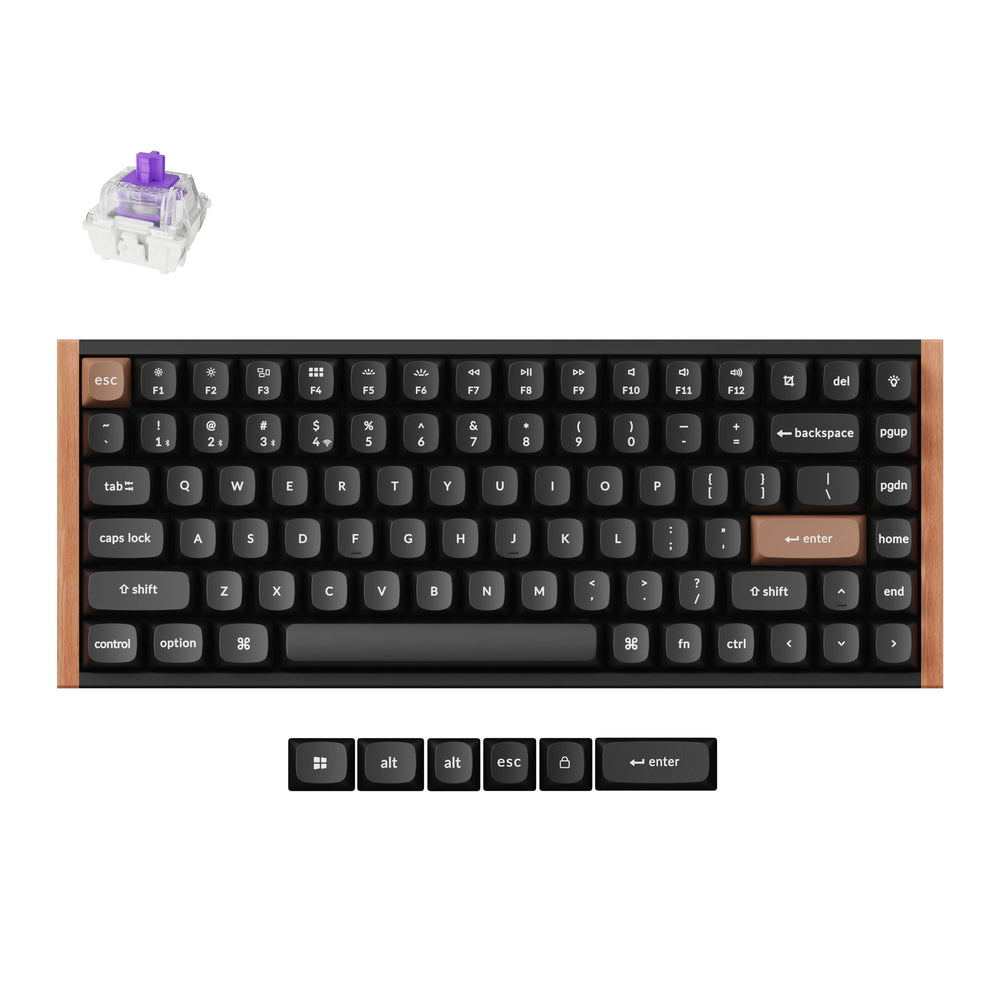
75%, 84 keys
Pros & Cons
Pros
- Hall Effect with tri-mode wireless under $150
- 75% layout keeps arrows and F-row — the sane daily-driver layout
- True 1000Hz polling wired and over 2.4GHz (RTINGS)
- Deep, thocky typing sound from layered acoustic foam
- Web-based Launcher with onboard profiles; wood-trim aluminum case looks fantastic
Cons
- Rapid Trigger implementation lags Wooting's finer control
- Web configurator requires USB-C to apply changes; slow on first connection
- Hot-swap limited to Gateron Double-Rail magnetic switches
- 965g, tall, and not portable despite the wireless chops
- No media keys or volume knob; battery life splits owner opinion with RGB on
Overview
Until recently, Hall Effect keyboards meant gaming-first boards: 60% layouts, aggressive aesthetics, and wired-only compromises in the name of esports performance. The Keychron K2 HE asks a different question — what if a magnetic-switch keyboard was also a pleasant, normal keyboard you could live with? At $139.99 for the Special Edition ($129.99 for the standard black model), it pairs Gateron Double-Rail magnetic switches with tri-mode wireless, a 75% layout, and Keychron's signature aluminum-and-rosewood trim. The answer it delivers, per press consensus and owner feedback, is the easiest Hall Effect board to live with, even if it is not the sharpest gaming tool on the market.
RTINGS calls the K HE series excellent for gaming with "amazing raw performance," and WIRED — which scored the board 9/10 — praises the woodgrain styling at a far more accessible price than Wooting's offerings. The trade-offs are equally well documented: the Rapid Trigger implementation trails Wooting's, the polling rate tops out at 1000Hz rather than 8K, and at 965g this is emphatically a desk keyboard, not a travel one. Community sentiment mirrors the press: Reddit owners consistently describe it as a premium-feeling board at a mid-range price, with the most common gripes being the proprietary switch socket and — for a vocal minority — battery endurance.
This is a keyboard that has to be judged on two axes at once. As a pure competitive gaming tool it is very good but not best-in-class; as a daily driver that happens to have magnetic switches, it is arguably the best option under $150. The whole review below is organized around that split, because it determines who should buy it and who should keep looking.
Build Quality and Design
The K2 HE is built like a proper Keychron. An aluminum top frame wraps an ABS plastic chassis, with real rosewood side panels on the Special Edition — the "mid-century modern" styling that reviewers and owners consistently single out as looking far more expensive than the price. WIRED's reviewer explicitly compares the aesthetic to the Fractal North PC case, and PCWorld notes that the wood panels are neatly fitted with consistent gaps, nothing creaks, and the whole assembly feels rigid. The 75% layout keeps dedicated arrow keys and the F-row, the two things 60% boards make you miss most, and the keycaps are durable double-shot PBT in an OSA profile with pre-lubed, factory-lubricated stabilizers.
RTINGS' testing highlights a notably quiet typing experience, thanks to multiple layers of acoustic material inside the case — 3.5mm EVA foam, EPDM foam, and a PET film — that dampen and round out the sound profile. The double-rail switches are stable and smooth, with a soft, "thocky" bottom-out that PCWorld describes as roughly comparable to a Cherry MX Red in weight (around 40g initial force, 60g bottom-out, 4.0mm total travel). The trade-offs are structural: this is a tray-mount board, which WIRED notes produces a firmer, less cushioned typing feel than gasket-mounted alternatives like the Lemokey P1 HE, and RTINGS documents that the switches wobble slightly in their housings — a minor cosmetic issue rather than a functional one.
Two ergonomic caveats appear in nearly every review. First, the board has a fairly tall profile, so a wrist rest is recommended and none is included. Second, at 965g — LTT Labs measured 32.1cm wide, 12.7cm deep, 4.1cm tall — it is a desk anchor; the wireless chops are for cable-free convenience, not portability. Flip-out feet offer three typing angles, and a side slider switches between wired, 2.4GHz, and Bluetooth modes. There are no dedicated media keys and no volume knob — control is via Fn combinations or remapping — a consistent complaint in press reviews, though owners largely treat it as a minor nuisance rather than a dealbreaker.
Key Features
- Gateron Double-Rail Nebula magnetic switches — Hall Effect actuation with actuation adjustable from 0.2mm to 3.8mm per key, in 0.1mm increments, plus adjustable reset points.
- Rapid Trigger — the competitive feature, letting keys reset faster than the physical release point for counter-strafing and rapid re-taps in Valorant, CS2, and similar titles.
- Multiple Actuation / Dual-Action — assign two actions to a single key (light press = walk, deep press = run), with Last-Key-Priority preventing stuck inputs during simultaneous presses.
- Tri-mode connectivity — 2.4GHz, Bluetooth 5.2 with three-device pairing, and USB-C. True 1000Hz polling over both wired and 2.4GHz connections.
- 4000mAh battery — PCWorld measured one to two working weeks of mixed use; owner reports indicate a work week or more on 2.4GHz with RGB off.
- Hot-swap magnetic switches — future-proofing as the magnetic ecosystem grows, though the PCB only supports Gateron Double-Rail magnetic switches; standard MX switches do not fit.
- Web-based Keychron Launcher — remapping, actuation tweaks, macros, and One Key Multiple Command features without installed software; profiles store on the board itself and apply in all three connection modes.
- Analog output — with Steam's controller support, the board can function as an analog gamepad input for driving games, a feature RTINGS staff confirmed works on the K2 HE.
- Cross-platform — Windows, macOS, and Linux support with a Mac/Windows keycap set and OS toggle switch in the box.
Performance
The K2 HE's raw performance is its strongest card. RTINGS measured remarkably low single-key and multi-key latency, with a true 1000Hz effective polling rate over both wired and 2.4GHz connections — no wireless bottleneck. LTT Labs' independent measurements put the board at roughly 6.3ms of latency wired and 8.4ms over 2.4GHz wireless, both well inside the range where input lag stops being perceptible. PCWorld's testing found the same: fast, stable input on 2.4GHz and USB-C, with Bluetooth notably slower at a typical 125Hz signal rate and not recommended for competitive play.
In practice, adjustable actuation and Rapid Trigger deliver a clear step up from traditional mechanical keyboards in fast-paced games. Community reports specifically call out more responsive counter-strafing in Valorant, and PCWorld's guide recommends flat 1.2–1.5mm actuation on WASD with a 0.1–0.2mm reset hysteresis for shooters, with even shallower settings for jump keys and deeper settings for abilities to avoid accidental inputs. The board processes N-key rollover without ghosting, and fast double-taps and micro-corrections remain cleanly reproducible.
The gap to Wooting is real but narrow. The K2 HE's actuation granularity is coarser, and Rapid Trigger tuning offers less fine control than the 60HE's implementation — the difference matters at the highest competitive level, and barely at all below it. Polling tops out at 1000Hz, which is fine for everyone outside the pro scene but trails the 8K spec-sheet race that Wooting's 80HE and boards like the Razer Huntsman V3 TKL 8KHz advertise. The web configurator is the weakest link in daily use: functional for remapping and actuation, but it requires plugging the board in via USB-C to apply changes, and press reviewers note it can be slow and occasionally finicky about recognizing the board on first connection. Bluetooth also has a short wake-up delay after idle — WIRED specifically flags having to nudge the side slider to wake the keyboard from sleep.
Latency snapshot
| Connection | Measured latency (LTT Labs) | Polling rate |
|---|---|---|
| Wired (USB-C) | ~6.3ms | 1000Hz |
| 2.4GHz wireless | ~8.4ms | 1000Hz |
| Bluetooth 5.2 | not competitive | ~125Hz |
For comparison, RTINGS classifies the Wooting 80HE as having "significantly better raw performance" with up to 8000Hz polling — but that board is wired-only, 80% layout, and $199. The K2 HE trades that last few percent of latency for wireless freedom, a friendlier layout, and $60 in savings.
Keychron K2 HE vs Wooting 60HE
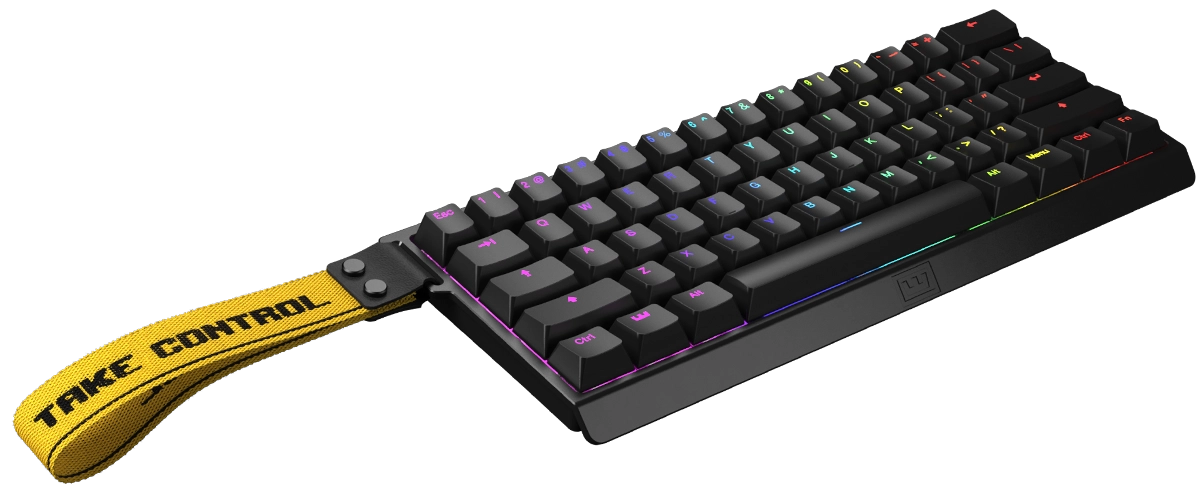
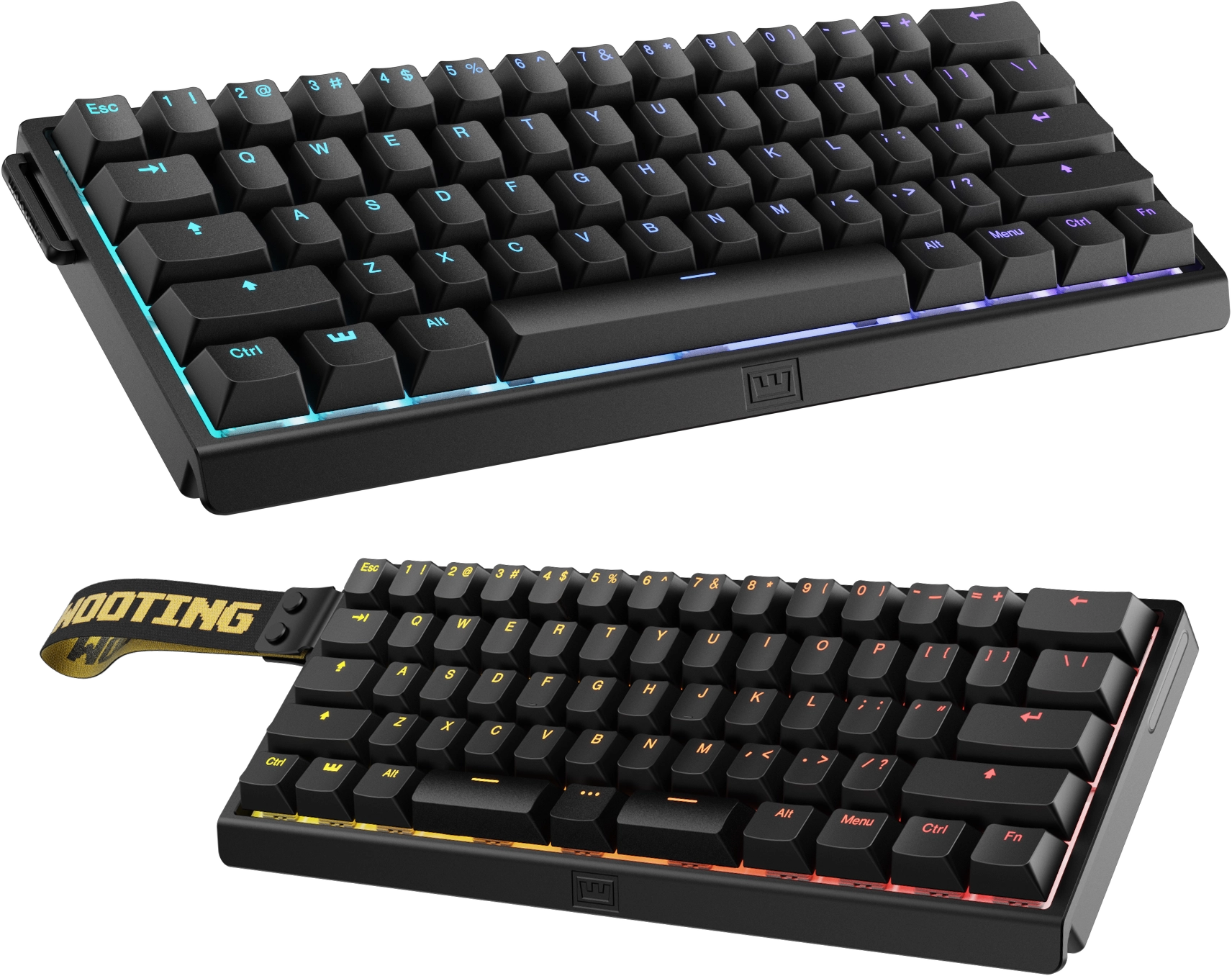
The comparison every potential buyer makes is against the Wooting 60HE, the competitive FPS reference point for magnetic switches. The K2 HE wins on everything that isn't pure esports performance: it has a 75% layout with arrows and an F-row where the 60HE is a 60% board, it's wireless where the 60HE is wired-only, it's roughly $35 cheaper, and it types quieter with a more livable daily-driver character. The 60HE wins on the two things that matter most to serious competitors: finer Rapid Trigger tuning with more granular actuation control, and deeper customization through Wooting's mature software ecosystem.
Read our full review of the Wooting 60HE. The short version: if you live in competitive FPS queues and want every last millisecond, the 60HE is still the sharper tool. If you play games after work and type the rest of the day, the K2 HE gives you 90% of the magnetic-switch benefit in a far more livable package — and you won't have to give up your arrow keys or your wireless connection to get it.
Pros and Cons
Pros:
Hall Effect with tri-mode wireless under $150. This is the headline: magnetic switches, 1000Hz over 2.4GHz, Bluetooth, and USB-C in a board that costs less than most wired-only magnetic options. RTINGS confirms the wireless polling is genuinely 1000Hz, not a marketing figure.
The 75% layout keeps arrows and the F-row. The sane daily-driver layout that 60% boards force you to sacrifice. Owners who moved from compact boards consistently cite this as the reason they can actually live with the K2 HE.
Excellent build quality and an extremely quiet typing experience. Aluminum frame, real wood accents, double-shot PBT caps, and layered acoustic foam produce a deep, thocky sound that WIRED calls "a bargain" at the price. The rosewood Special Edition looks like a $250 board.
True 1000Hz polling wired and over 2.4GHz. Per RTINGS lab testing, with LTT Labs independently measuring ~6.3ms wired and ~8.4ms wireless latency. No wireless compromise for gaming.
Deep software customization without an install. The web-based Launcher handles remapping, macros, per-key actuation, Rapid Trigger, and dual-action binds, with profiles stored onboard. Unusual flexibility at this price point.
Cons:
Rapid Trigger implementation lags Wooting's finer control. The feature works and delivers a real advantage, but actuation granularity and tuning depth trail the 60HE's implementation. Only competitive purists are likely to notice, but they will.
The web configurator is clunky and requires a cable. Changes only apply over USB-C, and press reviewers describe the Launcher as slow and occasionally finicky on first connection. It's the most common day-to-day annoyance in owner feedback.
Hot-swap is limited to Gateron Double-Rail magnetic switches. The socket won't accept standard MX switches or other magnetic switch families. Fine if you never planned to mod; limiting if you wanted the keyboard to be an experiment platform.
965g, tall profile, and not portable despite the wireless. The wireless chops are for cable-free desks, not travel. No wrist rest included, and press reviews recommend one for extended use.
No dedicated media keys or volume knob. Control is via Fn layers or remapping. PCWorld flags it as a drawback at this price, though owners generally treat it as a minor gripe.
Battery life splits owner opinion. PCWorld measured one to two working weeks of mixed use, and many owners report a week-plus on 2.4GHz with RGB off — but a persistent minority describe noticeably shorter endurance with RGB enabled, and Reddit's aggregated feedback lists battery life among the top complaints.
Who Should Buy This
The K2 HE is for people who type for a living and game after hours: it is the Hall Effect board that behaves like a normal keyboard, with wireless connectivity, a sane layout, and quiet acoustics for shared spaces. It is also the gentlest introduction to magnetic switches — no gamer aesthetic required, and the wood-trim Special Edition looks genuinely at home on a desk, not just at a LAN. Students, remote workers, and hybrid gamers who want one keyboard for everything are the core audience.
Skip it if you are a competitive FPS purist who wants Wooting-grade Rapid Trigger tuning or 8K polling — the 60HE or 80HE are the sharper tools for that. Skip it if you need a board that travels, if you plan to experiment with different switch families (the socket only takes Gateron Double-Rail), or if you need a volume knob and dedicated media keys without remapping. And if you simply don't care about magnetic switches at all, a traditional tri-mode board like the Keychron V5 Max delivers similar wireless flexibility for less money.
Alternatives to Consider
Wooting 60HE — the competitive FPS endgame: sharper Rapid Trigger implementation and a deeper tuning ecosystem, but wired, 60%, and pricier at $175. Read the full review.
Lemokey P1 HE — the premium Hall Effect alternative in the Keychron family, with a gasket mount and more refined feel for a higher price. Read the full review.
Keychron V5 Max — if you do not need Hall Effect at all, the QMK/VIA tri-mode board delivers similar wireless flexibility at a lower price. Read the full review.
FAQ
Is the Keychron K2 HE good for gaming? Yes. RTINGS rates the K HE series excellent for gaming at any competitive level, with remarkably low latency and true 1000Hz polling wired and over 2.4GHz. Rapid Trigger, adjustable actuation, and dual-action binds give it a real edge over traditional mechanical keyboards in fast-paced shooters. It trails the Wooting 60HE in fine-tuned Rapid Trigger control and 8K polling, but for the vast majority of players the difference is imperceptible.
Does the K2 HE have Rapid Trigger? Yes. Rapid Trigger lets a key reset before it physically returns to its release point, enabling faster re-taps and counter-strafing. Actuation can be set from 0.2mm to 3.8mm in 0.1mm increments, and reset points are adjustable per key through the Keychron Launcher.
Can you use the K2 HE wirelessly for competitive gaming? Yes, over 2.4GHz. RTINGS confirms the 2.4GHz connection maintains a true 1000Hz effective polling rate with no bottleneck, and LTT Labs measured ~8.4ms latency wirelessly versus ~6.3ms wired. Bluetooth is the slow mode (~125Hz) and is fine for office work and single-player games, but not recommended for competitive play.
How long does the K2 HE battery last? The 4000mAh battery lasts roughly one to two working weeks of mixed use per PCWorld's testing. Owners report a work week or more on 2.4GHz with RGB off; heavy RGB use and Bluetooth operation shorten endurance noticeably, and a minority of owners report shorter life than expected with lighting enabled.
Can you swap the switches on the K2 HE? The switches are hot-swappable, but only with Gateron Double-Rail magnetic switches. Standard MX switches and other magnetic switch families won't fit the socket. If switch experimentation is a priority, this is a real limitation.
Does the K2 HE work with Mac, Windows, and Linux? Yes. The board supports Windows, macOS, and Linux, includes both Mac and Windows keycaps in the box, and has an OS toggle switch on the side. The web Launcher works on all three platforms where the browser supports WebHID.
Is the Keychron K2 HE worth it over the Wooting 60HE? For most people, yes. The K2 HE is $35 cheaper, wireless, and keeps arrow keys and an F-row, while delivering roughly the same real-world gaming benefit for anyone below the pro level. Buy the 60HE only if fine-grained Rapid Trigger tuning and maximum polling are non-negotiable.
Verdict
8.4 — Good. The K2 HE is the Hall Effect board for people who also type for a living — 90% of the magnetic-switch benefit in a far more livable package, for $35 less than the Wooting 60HE. Press consensus backs it: WIRED scored it 9/10 and called it a bargain, RTINGS rates the series excellent for gaming, and both PCWorld and PCMag awarded 4/5 (3.5/5 for PCWorld) with quibbles limited to the proprietary socket, missing media keys, and a tall profile. Competitive FPS purists should still buy the 60HE; everyone else gets the best all-rounder in the category — a magnetic keyboard that looks like furniture, types like a much more expensive board, and games well enough that the compromises barely register.
What the Experts Say
Professional review consensus for this product
Full Specifications
| Switch | Gateron double-rail magnetic (Nebula), linear |
|---|---|
| Actuation | 0.2-3.8mm adjustable (0.1mm steps) |
| Polling rate | 1000Hz (wired & 2.4GHz); ~125Hz Bluetooth |
| Layout | 75%, 84 keys |
| Connectivity | 2.4GHz, Bluetooth 5.2, USB-C |
| Battery | 4000mAh |
| Case | ABS chassis, aluminum frame, rosewood accents |
| Weight | 965g |
| Dimensions | 321 x 127 x 41mm |
| Measured latency | ~6.3ms wired / ~8.4ms wireless (LTT Labs) |
| Keycaps | Double-shot PBT, OSA profile |
The Verdict: Good
The Hall Effect board for people who also type for a living. Not as sharp a gaming tool as the 60HE, but wireless and a sane layout make it the better daily driver.
— GamepadSquire, July 2026
Related Buying Guide
Buying Guide
Best Mechanical Keyboards 2026: The Complete Guide for Every Budget
The 2026 mechanical keyboard market mapped tier by tier: from the $37 Keychron C3 Pro and $42 EPOMAKER HE68 Lite to the Wooting 80HE and NuPhy WH80. RTINGS' top picks synthesized with Reddit community consensus, covering mechanical, Hall Effect, and TMR switches for every budget.
Buying Guide
Best Hall Effect Keyboards 2026: The Definitive All-Tier Roundup
Hall effect keyboards went from a $200 Wooting exclusive to a market that spans $42 to $400. This is the definitive all-tier roundup: the best budget, mid-range, and flagship magnetic boards of 2026, ranked by specs, lab data, pro adoption, and community feedback.